
You know the moment. You're deep in a feature, CSS is finally behaving, the component logic clicks, and then you hit refresh.
Spinner. Spinner. Error: 503 Service Unavailable. Slack lights up: "Hey, is dev down for anyone else?"
Twenty minutes later you learn someone on the backend team deployed a hotfix that broke the shared environment. Your afternoon? Gone. Your flow state? Obliterated.
This is the local development tax. Most teams pay it without realizing there’s a better way.
The False Debate
Every frontend team eventually lands in the same argument:
Team Mock: "Just mock everything. We control the data, it's fast, it's reliable."
Team Real Backend: "Mocks lie. You'll ship bugs. Always test against the real thing."
Both sides are right, and both are wrong.
Mocking everything means you'll miss real integration bugs. Hitting the dev backend for everything means you'll waste hours on environment problems that have nothing to do with your code.
The answer isn't picking a side. It's building a layered workflow that gives you speed when you need it and realism when it matters.
This post will give you:
- A clear framework for deciding when to use a mock backend vs. a dev backend
- A team standard you can adopt this week
- Fixes for the five failure modes that break most teams
Let's start with shared vocabulary.
Part 1: Defining the Options
Before we compare, let's agree on terms. I'll use these consistently throughout.
Mock Backend (Local)
Your frontend talks to something that isn't the real backend, and you control it completely.
Three common forms:
| Type | How It Works | Example Tools |
| --------------------- | ----------------------------------------------------------- | ----------------------------------- |
| Network-level mocking | Intercepts fetch/XHR in browser or Node, returns fixtures | MSW, nock |
| Mock server | Local HTTP server serving endpoints | json-server, Prism, Express |
| Static fixtures | JSON files imported directly or served locally | Hand-written, generated from schema |
Dev Backend
A shared environment run by backend or platform teams. It aims to behave like production. Usually requires VPN or internal access.
Staging Backend
Stricter than dev, closer to production. Often has access controls and stability guarantees. Not typically used for day-to-day local development.
Note: In this post, “Dev Backend” refers to the primary shared integration environment most frontend teams validate against.
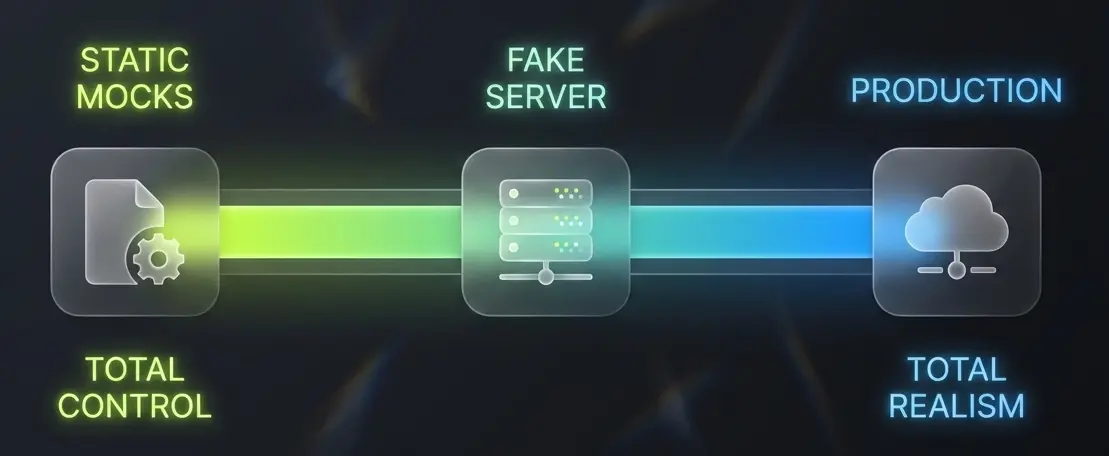
Key point: This post focuses on local development workflows-fast iteration while building features. The decisions made here also affect testing, onboarding, and release reliability.
Part 2: What "Good" Actually Looks Like
A healthy local development workflow delivers:
| Criterion | What It Means | | ------------------ | ----------------------------------------------- | | Fast feedback | Edit → refresh → result in seconds | | Repeatability | Same branch = same behavior for every developer | | Controlled failure | Simulate 401, 500, timeout on demand | | Contract safety | Catch breaking API changes before merge | | Easy onboarding | New dev runs the app in under 30 minutes |
Keep these five criteria in mind. They’re the lens through which we evaluate tradeoffs.
Part 3: The Real Tradeoffs
Let’s break down when each approach wins and what you sacrifice.
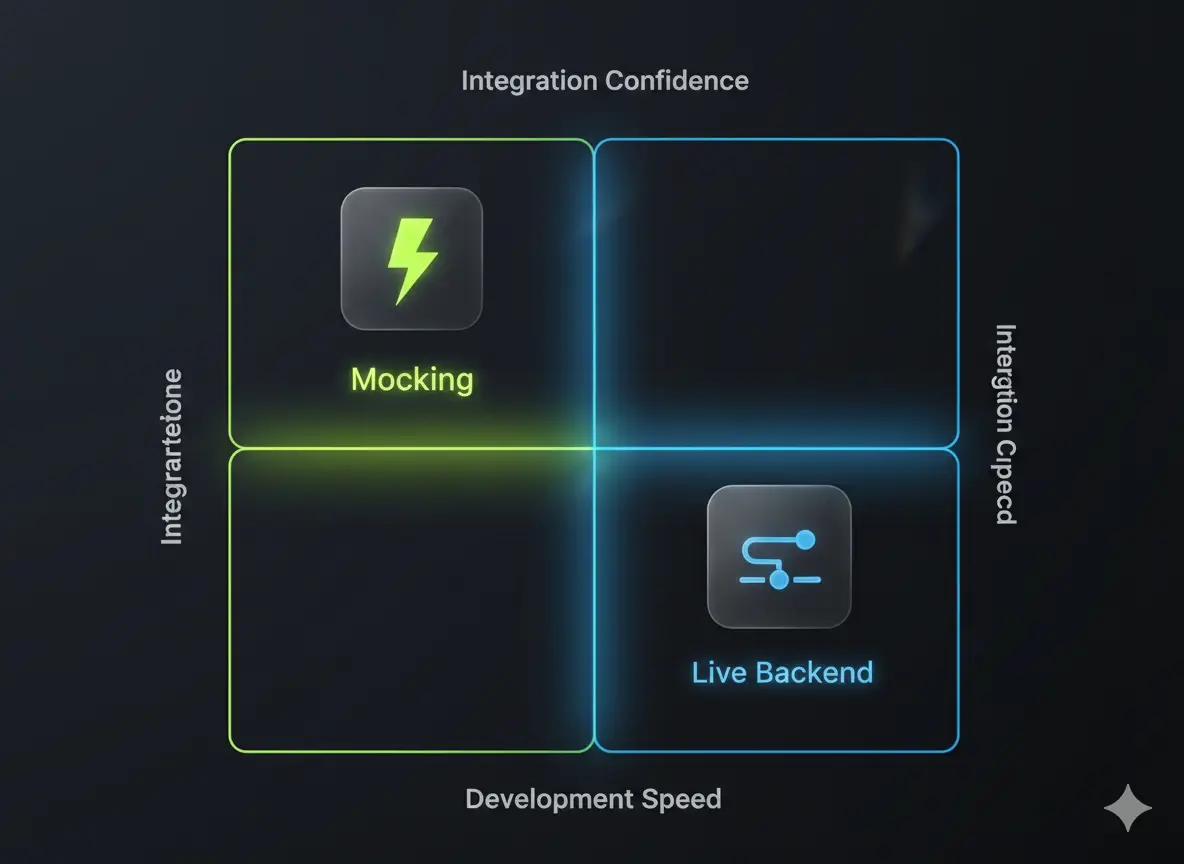
Speed & Developer Flow
Mock Backend wins when you are:
- Iterating rapidly on UI states
- Building edge cases (empty states, error screens, loading skeletons)
- Working while the real backend is unavailable or unstable
Dev Backend wins when you are:
- Debugging real integration issues
- Testing latency, headers, and caching behavior
- Verifying auth cookies or CORS
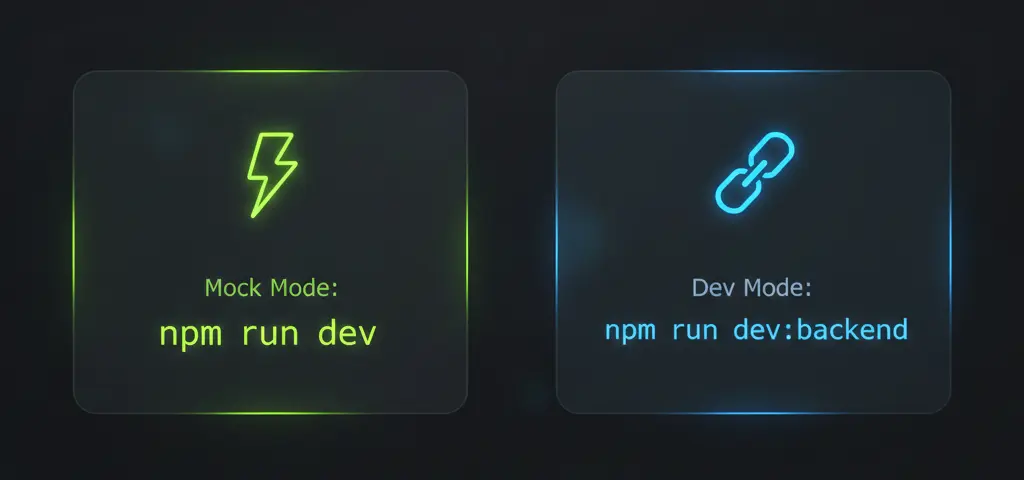
Practical: Default to Mock Mode during UI work. Make switching to the Dev Backend a single command.
# Run the app in your preferred mode (these are package.json script names)
npm run dev          # Mock Mode (default)
npm run dev:backend  # Dev Backend Mode
Note: On Windows (CMD/PowerShell), setting env vars inline like API_MODE=mock won't work. Use cross-env for cross-platform compatibility:
{
  "scripts": {
    "dev": "cross-env API_MODE=mock vite",
    "dev:backend": "cross-env API_MODE=dev vite"
  }
}
Accuracy & "It Works on My Machine"
Both approaches can mislead you, just in different ways.
- Mock backends mislead through incompleteness: wrong shapes, missing headers, unrealistic errors.
- Dev backends mislead through non-determinism: environment changes, shared mutable data, and surprise deployments.
Practical: Accuracy comes from contracts and automation, not from always hitting the real backend. Use schema validation, typed clients, and smoke tests.
Reliability & Availability
The Mock Backend is reliable because you own it. No network issues, no surprise downtime.
The Dev Backend is often unreliable: flaky deployments, inconsistent data, intermittent auth failures, the classic "it was working yesterday."
// Auto-fallback when the Dev Backend is unavailable
// Note: log loudly and notify the team if you fall back, silent fallback can mask outages.
async function getApiMode(): Promise<"mock" | "dev"> {
  if (process.env.API_MODE === "mock") return "mock";

  try {
    const controller = new AbortController();
    const timeoutId = setTimeout(() => controller.abort(), 2000);
    const res = await fetch(`${process.env.DEV_API_URL}/health`, {
      signal: controller.signal,
    });
    clearTimeout(timeoutId);
    return res.ok ? "dev" : "mock";
  } catch {
    console.warn("⚠️ Dev backend unavailable - switching to Mock Mode");
    return "mock";
  }
}
Mock Mode maximizes repeatability. Dev Backend is the proving ground.
Team Coordination
Frontend-only teams almost always move faster with mock backends. Full-stack teams can lean on Dev Backend more, but mocks still reduce coupling and unblock parallel work.
Practical: Standardize on work modes ("Mock Mode" vs "Integration Mode"), not on a single tool.
Security & Access
Dev environments often require VPN, SSO, IP allowlists, and secrets. Great for realism, bad for onboarding and quick iterations.
Mock backends avoid secrets but can hide auth complexity.
import { http, HttpResponse } from "msw";

http.get("/api/me", ({ request }) => {
  const scenario = request.headers.get("x-mock-auth") || "authenticated";

  const responses: Record<string, [object, { status?: number }?]> = {
    expired: [{ error: "Token expired" }, { status: 401 }],
    forbidden: [{ error: "Insufficient permissions" }, { status: 403 }],
    unauthenticated: [{ error: "Not authenticated" }, { status: 401 }],
    authenticated: [
      { id: "user-123", email: "dev@example.com", roles: ["editor"] },
    ],
  };

  const [body, opts] = responses[scenario] || responses.authenticated;
  return HttpResponse.json(body, opts);
});
Simulate auth locally. Validate real auth regularly.
Part 4: The Decision Matrix
Use this to decide in under two minutes.
Mock Mode:
- Backend unstable or frequently deploying
- Many edge cases to test
- API contracts changing weekly
- Rate-limited or paid APIs
- VPN/secrets slow onboarding
Dev Backend Mode:
- Complex real auth required
- Realistic seeded data needed
- Debugging headers, cookies, CORS
- Performance or latency testing
Practical: Hybrid is usually best, Mock Mode for speed; one-command switch to Dev Backend for verification.
Part 5: The Recommended Team Standard
Concrete standard you can adopt with minimal bikeshedding.
Standard #1: Default to Mock Backend for Daily Work
Your mock backends should cover:
- Success responses (happy path)
- Common errors (400–500)
- Slow networks (loading states)
- Empty states (zero results, null fields)
http.get("/api/products", async ({ request }) => {
  const scenario = new URL(request.url).searchParams.get("scenario");
  await delay(150);

  if (scenario === "empty") {
    return HttpResponse.json({ products: [], total: 0 });
  }

  if (scenario === "error") {
    return HttpResponse.json(
      { error: "Database connection failed" },
      { status: 500 },
    );
  }

  if (scenario === "slow") {
    await delay(3000);
  }

  return HttpResponse.json({
    products: [
      { id: "1", name: "Widget Pro", price: 29.99, stock: 150 },
      { id: "2", name: "Gadget Plus", price: 49.99, stock: 0 },
    ],
    total: 2,
  });
});
Standard #2: One-Command Backend Switch
No code edits required. Use an environment variable or CLI flag.
{
  "scripts": {
    "dev": "cross-env API_MODE=mock vite",
    "dev:backend": "cross-env API_MODE=dev vite"
  }
}
// src/config/api.ts
export function getApiConfig() {
  const mode = process.env.API_MODE || "mock";

  return {
    mock: { baseUrl: "/api", useMocks: true },
    dev: { baseUrl: "https://dev-api.company.com", useMocks: false },
    staging: { baseUrl: "https://staging-api.company.com", useMocks: false },
  }[mode];
}
Standard #3: Single Source of Truth for Contracts
Pick one and commit:
- OpenAPI / Swagger
- JSON Schema
- GraphQL schema
- Typed client
Keep the contract artifact in version control or fetch it during CI.
Standard #4: Contract Drift Safety Net
Add a CI job that validates contracts or runs smoke tests against the Dev Backend.
# .github/workflows/contract-check.yml
name: Contract Validation
on:
  pull_request:
  schedule:
    - cron: "0 9 * * 1-5" # Weekdays 9 AM

jobs:
  validate:
    runs-on: ubuntu-latest
    steps:
      - uses: actions/checkout@v4
      - run: npm ci
      - run: npm run validate:contracts
Standard #5: Auth as a First-Class Scenario
- Simulate auth states locally from day one.
- Validate real auth flows weekly against dev/staging.
Part 6: The Five Failure Modes (And How to Fix Them)
These patterns break teams. Each one is avoidable.
❌ Failure #1: Mock Backends Diverge
What happens: Everything works locally. Staging is chaos. Fields missing, errors wrong, pagination broken.
Root cause: Mock backends were hand-written once and never updated.
Fixes:
- Generate mock backends from schema (Prism, MSW + OpenAPI)
- Add "nasty fixtures" covering nulls, missing optional fields, empty arrays, extra fields
- Run contract validation in CI
// "Nasty" fixtures that catch real bugs
const edgeCaseProducts = {
  products: [
    { id: "1", name: "Widget", price: 29.99 }, // description undefined
    { id: "2", name: "", price: 0, stock: null }, // empty string, zero, null
  ],
  _metadata: { cached: true }, // extra field backend might add
};
❌ Failure #2: Dev Backend Is a Shared Sandcastle
What happens: "Dev is down." "Who changed the test data?" "It was working yesterday."
Underlying reason: Shared mutable state and no ownership.
Fixes:
- Seed deterministic test accounts per developer or per test user
- Add a health check and fail-fast in developer tooling
- Fall back to mock backends when dev is broken
#!/bin/bash
# scripts/check-dev.sh
HEALTH=$(curl -s -o /dev/null -w "%{http_code}" "$DEV_API_URL/health")

if [ "$HEALTH" != "200" ]; then
  echo "⚠️ Dev backend unhealthy (HTTP $HEALTH)"
  echo "Run: npm run dev (Mock Mode)"
  exit 1
fi

echo "✓ Dev healthy - run: npm run dev:backend"
❌ Failure #3: Auth Complexity Deferred Until Late
What happens: The happy path works; edge cases like expired tokens or insufficient roles fail close to release.
What’s actually happening: Local dev never exercised realistic auth states.
Fixes:
- Simulate auth states locally from day one
- Add auth scenarios to your PR checklist
- Run a weekly integration hour validating real auth flows
❌ Failure #4: Rate Limits Kill Flow
What happens: You refresh while styling and hit rate limits or accrue unexpected costs.
Root cause: Local development frequently hitting real, rate-limited, or paid endpoints.
Fixes:
- Default to Mock Mode for high-frequency work
- Cache dev responses for short TTLs when you must hit dev
- Reserve real calls for intentional verification
// Simple response cache for dev mode
const cache = new Map<string, { data: unknown; time: number }>();
const TTL = 5 * 60 * 1000;

export async function cachedFetch<T>(url: string): Promise<T> {
  const hit = cache.get(url);
  if (hit && Date.now() - hit.time < TTL) return hit.data as T;

  const data = await fetch(url).then((r) => r.json());
  cache.set(url, { data, time: Date.now() });
  return data;
}
❌ Failure #5: Contract Changes Break Everything
What happens: Backend ships a "minor" change; frontend breaks in production.
Root cause: No shared contract and no automation to validate changes.
Fixes:
- Assign contract ownership (who updates schema, who updates fixtures)
- Use a breaking change checklist: schema → client → mock backends → tests → notify
- Make contract validation a merge blocker
Part 7: Real-World Scenarios
Apply the framework to situations that actually cause pain.
Scenario A: Auth Flows with Roles + Token Refresh
Context: Dashboards with role-gated routes. Background token refresh with 401-retry logic. The Dev Backend uses real SSO, requires VPN, and rotates secrets.
Best approach: Hybrid (Mock Mode default + Dev validation)
- UI Mode (Mock Mode): Mock all auth states-signed out, expired, refresh success/fail, 403 forbidden, MFA required, different roles. Build every UI branch.
- Integration Mode (Dev Backend): Before merging auth PRs, validate redirect flows, cookies, CORS, and refresh timing against the Dev Backend.
Scenario B: Flaky Backend + Evolving Contracts
Context: Backend ships weekly and response shapes change frequently. Dev environment is often broken during deployments.
Best approach: Mostly mock backend + contract discipline
- Treat mock backends as the primary local dependency.
- Use a contract artifact (OpenAPI, JSON Schema, or typed client) as the handshake.
- Run scheduled CI smoke tests against the Dev Backend to surface drift early.
# .github/workflows/api-drift.yml
name: API Drift Detection
on:
  schedule:
    - cron: "0 6 * * 1-5"

jobs:
  detect:
    runs-on: ubuntu-latest
    steps:
      - uses: actions/checkout@v4
      - run: npm ci
      - run: npm run test:smoke:dev
        env:
          API_URL: ${{ secrets.DEV_API_URL }}
      - if: failure()
        uses: slackapi/slack-github-action@v1
        with:
          payload: '{"text":"⚠️ API drift detected"}'
Scenario C: Rate-Limited Third-Party APIs
Context: Integration with payment processors, maps, or AI services that throttle or charge per call.
Best approach: Mock Mode default + controlled real calls
- Mock for UI work and edge cases.
- Provide an explicit "real request" toggle for verification.
- Cache Dev Backend responses aggressively when allowed.
- Track usage and alert on spikes.
// Mock payment API with scenarios (MSW v2-style)
http.post("/api/payments/charge", async ({ request }) => {
  const { amount, scenario } = await request.json();

  const errors: Record<string, [string, string]> = {
    "card-declined": ["card_declined", "Your card was declined."],
    "insufficient-funds": ["insufficient_funds", "Insufficient funds."],
  };

  if (errors[scenario]) {
    const [code, message] = errors[scenario];
    return HttpResponse.json(
      { success: false, error: { code, message } },
      { status: 402 },
    );
  }

  return HttpResponse.json({
    success: true,
    chargeId: `ch_mock_${Date.now()}`,
    amount,
  });
});
What's Next
The strongest local workflow isn’t “mock backend vs dev backend.” It’s a repeatable standard that gives teams speed while building and confidence when shipping.
Next, I'll break this down for Angular teams with concrete implementations (proxy vs MSW vs mock server), example wiring for environment switching, auth scenario testing, and contract validation - plus a starter repo you can clone.
Until then, pick one endpoint this week, add one realistic mock backend, and give your team a way to keep shipping, even when the Dev Backend isn’t ready.
Have questions or war stories? I’d love to hear what worked, or spectacularly failed, for your team.